Teams & machines
Your machines, your people, your rules.
Your machines, your cloud, or ours.
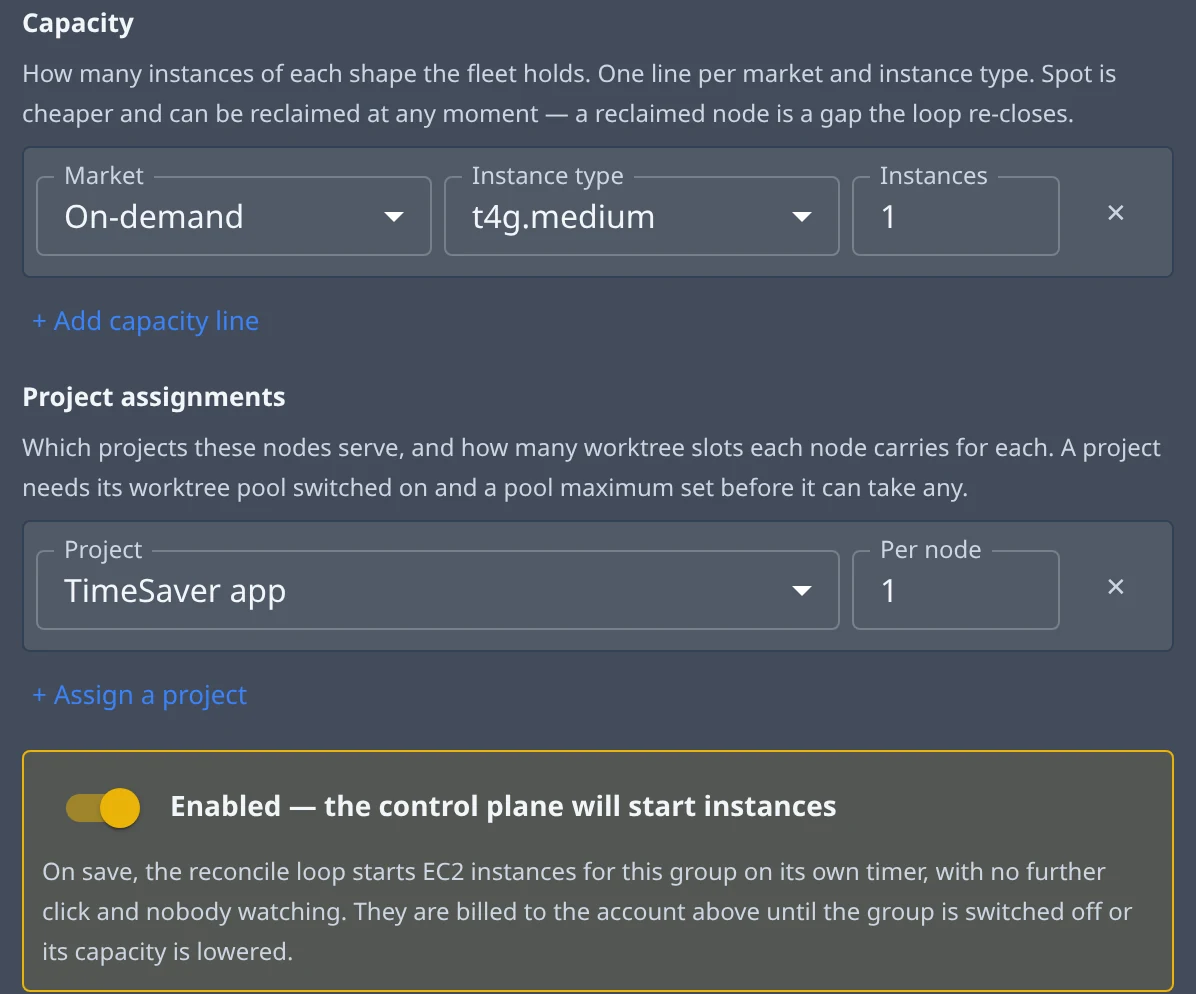
Add a machine three ways: rent one from Jaah, dedicated to you or shared with every organisation kept apart; launch one in your own AWS account; or join a machine you run with a one-time command. A machine group holds a count of cloud machines for you, on-demand or spot, and sets every new one up for your projects. Drain a machine and it finishes the tasks it is running first.
- Rented from Jaah, dedicated or shared
- Launched in your AWS account, or one of your own
- Machine groups that hold the count you set
One project per repository, organised the way you work.
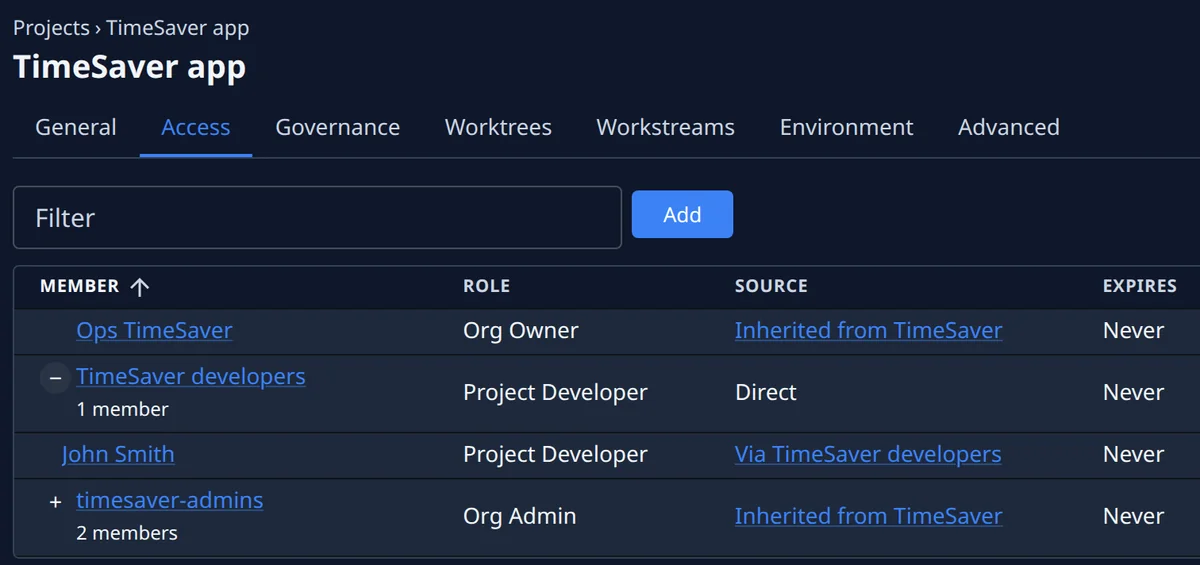
A project is one repository and everything that decides how agents work in it: who may use it, the branch it delivers to, its checks, its environment and how many tasks it runs at once. Group its tasks into features, pin the projects you use most, and mark a feature shipped when it is done.
- Access granted per project
- Tasks grouped into features
- Its own branch, checks and caps
Every commit checked. Even the confident ones.
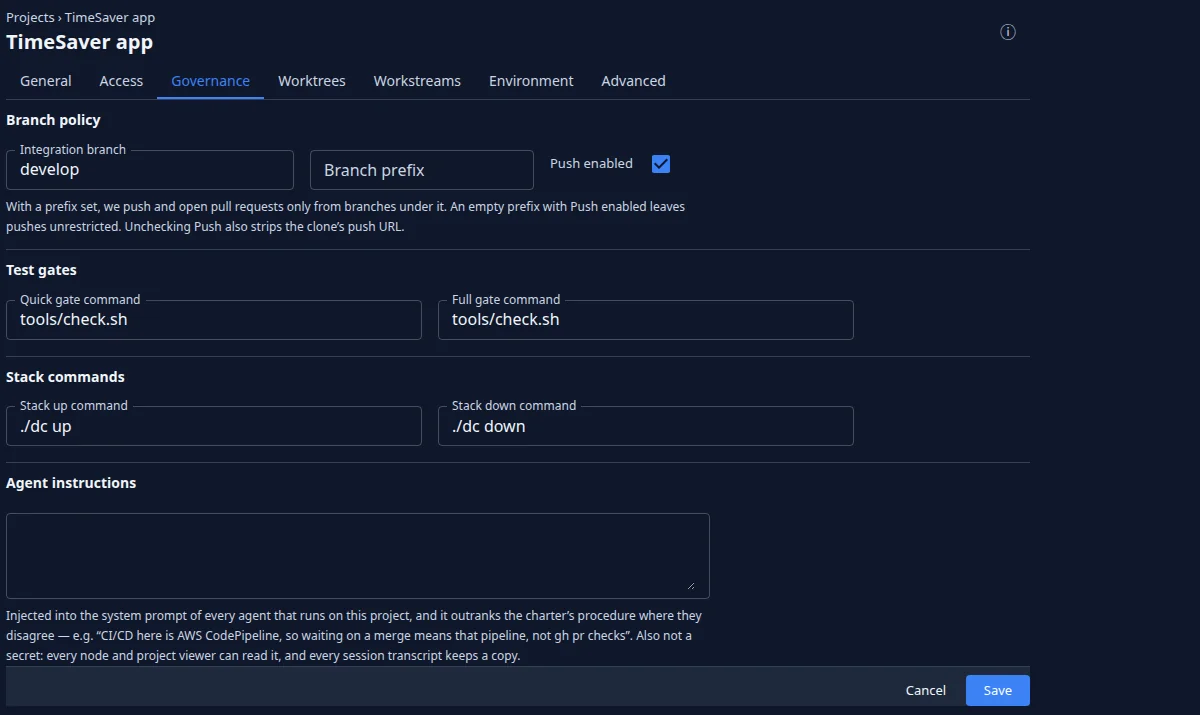
Each project names two gates: a quick check the agent runs before every commit, and the full suite before every pull request. Stack commands, standing instructions for the agents and environment variables — typed in, or read from a credential — complete the setup.
- Quick gate before every commit
- Full suite before every pull request
- Stack, instructions and environment, per project
Every setting, on the page of what it changes.
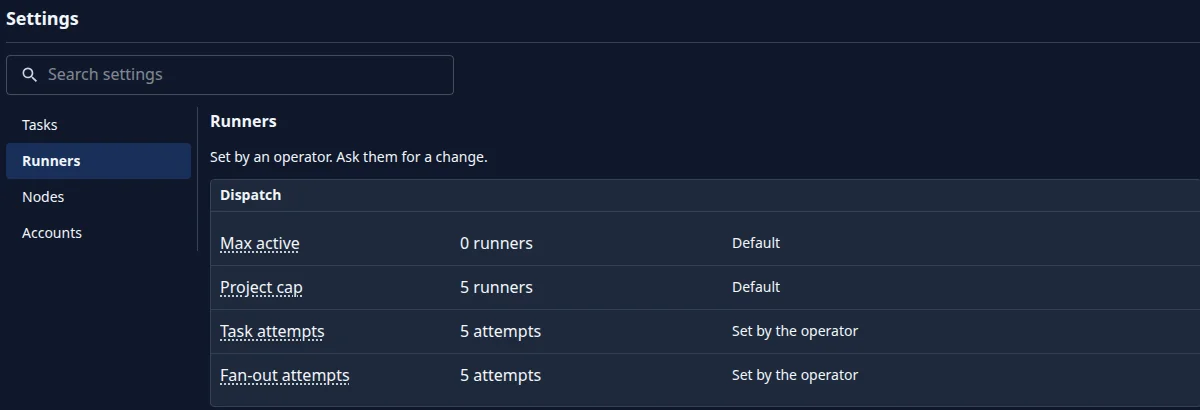
How many agents run, how many stand ready, how often a task is retried, which ports they use, model prices, task defaults, cloud machine defaults. Each one shows whether it is the default or yours.
- Organisation and system settings
- Every project’s settings on its own tabs
- Defaults marked, overrides named
Where settings live
Settings where you would look for them.
Each setting is on the page of the thing it changes, so nobody goes hunting through one long list.
- System — how many run at once, standby pools, ports, model prices, task and cloud defaults
- Organisation — who holds which role, how members sign in, email domains
- Project — who may use it, its branch and checks, its machines, its environment, its defaults
- Machine — tags, capacity, enabled
- Group — details, members, roles
- You — profile, theme, notifications, Git access
Jaah. Just add machines.
Tell us how big your fleet is.
Run agents on machines you own, in your AWS account or on machines Jaah runs, with every project’s access, checks and caps in your hands. Sign up and pick the plan that fits how many teams, repositories and machines you run.