Security
Who can touch what, and who did.
Access, with the reason behind it.
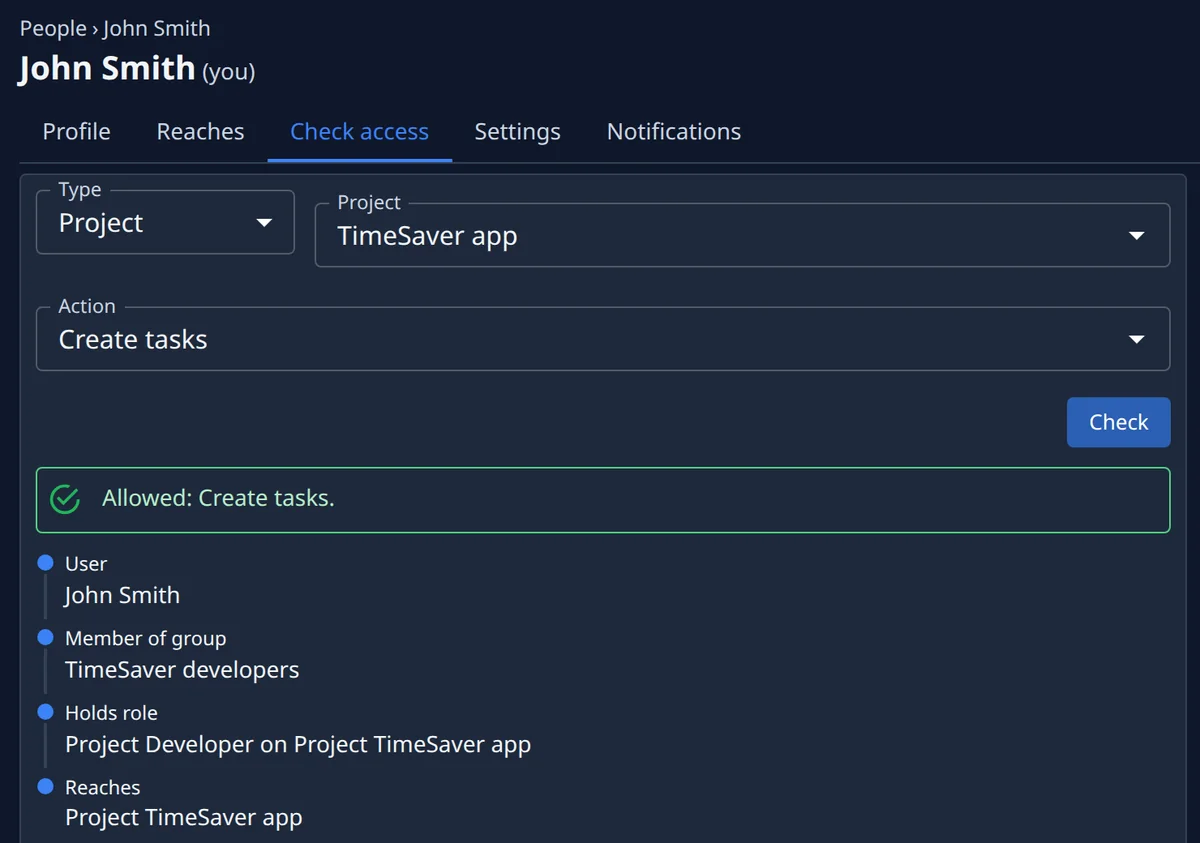
Every person’s page lists everything they reach — the organisation and each project — with the role they hold there and whether it came directly or through a group. Check access asks one question, such as whether they may create tasks on a project, and answers with the chain that decides it, or names the missing link.
- Everything a person reaches, on one page
- Any action checked, with the chain behind it
- The missing link named when the answer is no
Roles you grant, not roles it asks for.
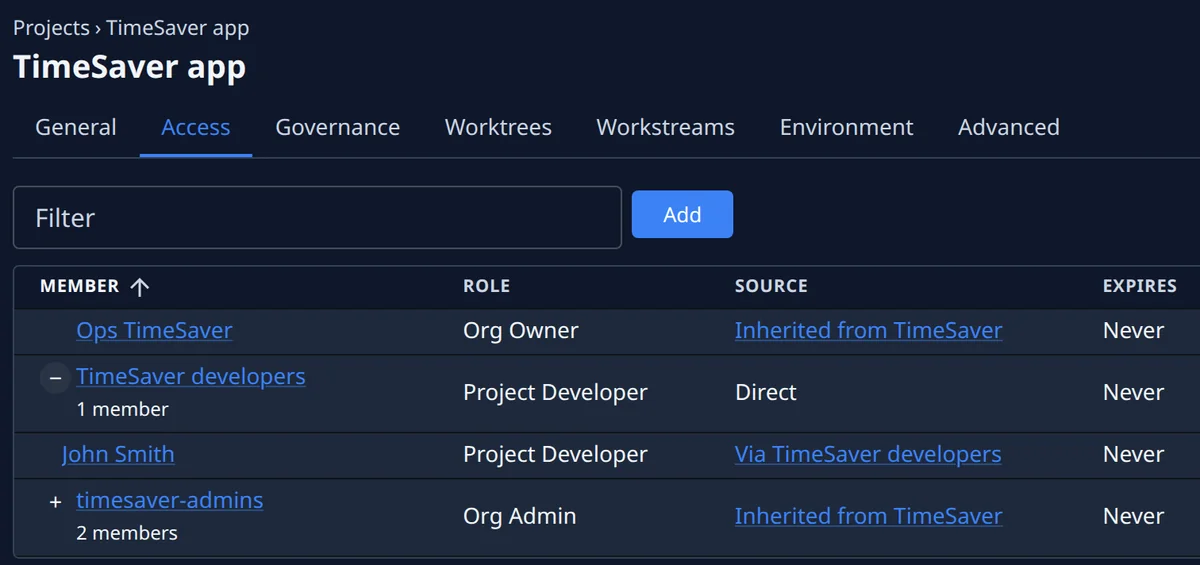
Five roles, from Project Viewer to Org Owner. Give one to a person or a whole group — on the organisation or on a project, with an end date when it is temporary. Members sign in with Google, GitHub or Microsoft, or through your Google Workspace or Microsoft Entra ID with MFA enforced. Anyone turned away can ask for access, and the people who may grant it approve or deny from their inbox or from Slack. Each organisation sees only its own.
- Five roles, from viewer to owner
- Single sign-on, with MFA enforced
- Access requests, approved from the inbox or Slack
Secrets, typed once and kept.
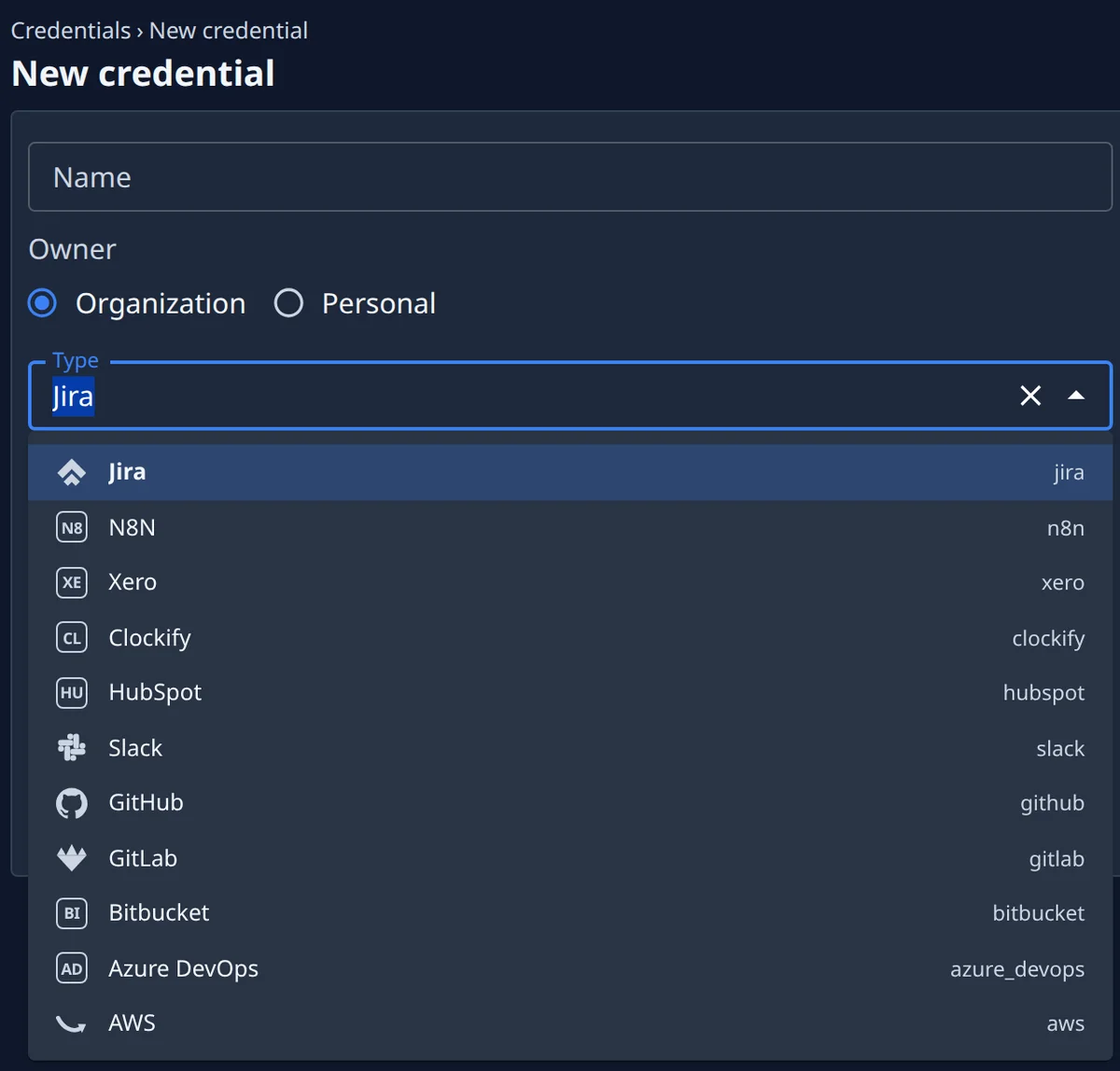
A secret is typed once and never shown again. It is encrypted with AES-256-GCM under a key held outside the database, owned by one person or by the organisation, and attached to the projects that use it. A task fetches each credential it may use through a broker on its machine, per call; OAuth tokens are refreshed centrally.
- AES-256-GCM at rest, the key held outside the database
- Personal, or attached to a project
- Fetched per call, OAuth refreshed centrally
Who did what, and when. Down to the command.
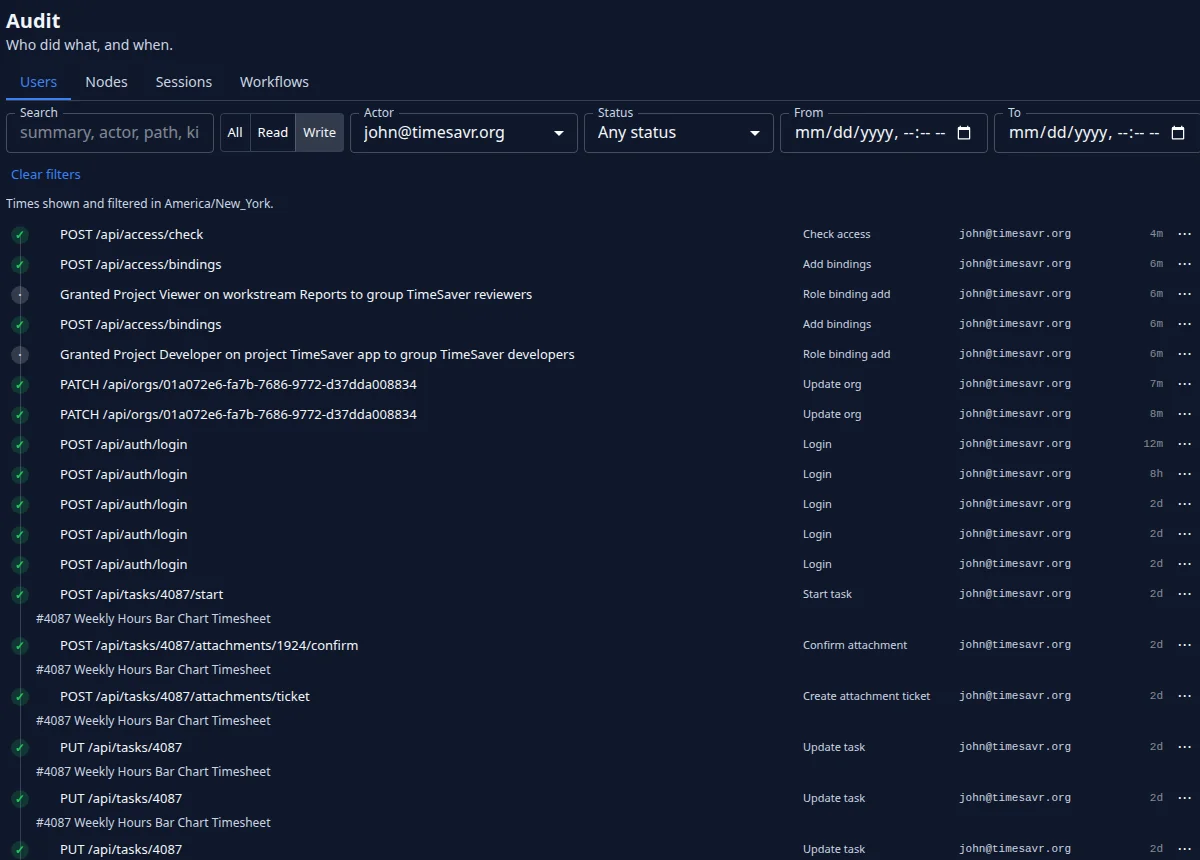
Every API write, task transition and note is recorded as an event: who did it, what changed and when. Every command on a machine is logged with its result, and every session transcript downloads as one archive. Retention is the operator’s setting, out of any tenant’s reach.
- An activity event per write, per task transition
- A command log per machine
- Session transcripts, exportable as one archive
Security
Where it runs, and who sees what.
Many organisations, one control plane, each kept apart.
An organisation boundary runs through every table, so one deployment holds several tenants and each sees only its own.
- A node belongs to one organisation for its whole life, and on a shared machine each organisation’s node is kept apart
- A task runs only on a node of its own organisation that hosts its project, and every role stays inside its organisation
- Retention windows are one fleet-wide setting, held by the operator and outside any tenant’s reach
The machines you choose. The accounts you own.
Agents run on the machines you choose: your own, ones launched in your AWS account, or ones Jaah runs for you, dedicated or shared. Your code goes to your own repositories — on GitHub, GitLab, Bitbucket or Azure DevOps — and to the model provider behind your agents — Anthropic, OpenAI or Google — under your own account.
- Agents run under model accounts you add yourself
- Changes reviewed and merged in your own repositories
- Credentials handed to each run by a broker on the machine
- A private copy of the code per task, many agents at once
Ask what your security review will ask.
Sign up and pick the plan that fits what your estate looks like and who signs off.